
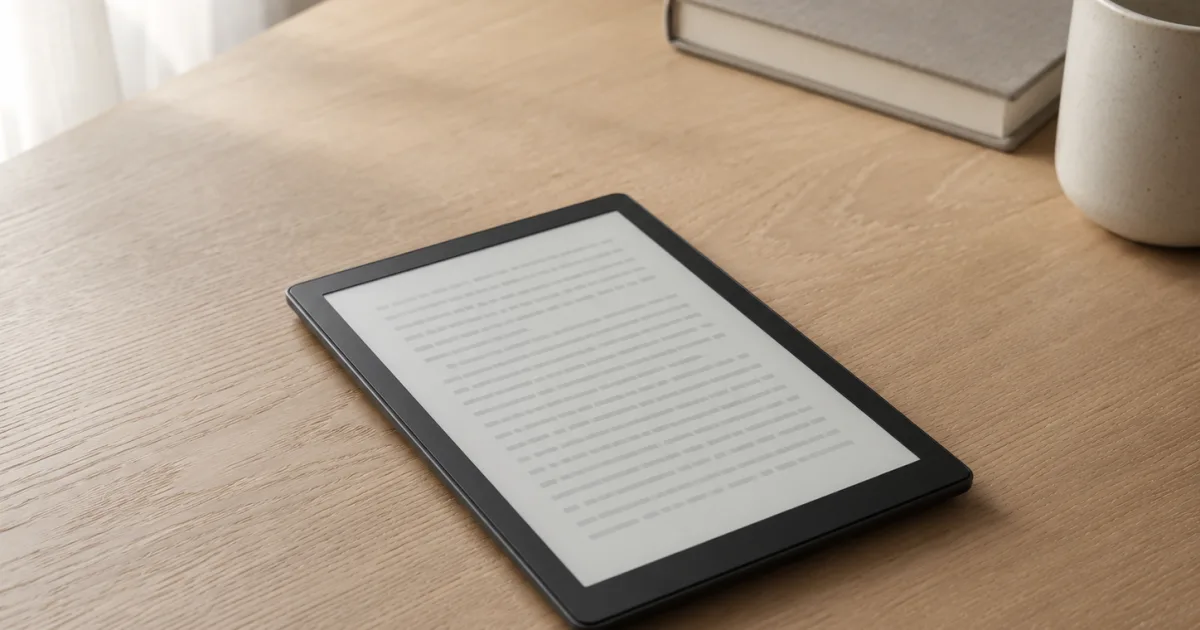
Two of Amazon's best selling e-readers sit about forty dollars apart, and underneath the price tag they are the same device. The Kindle Paperwhite Signature Edition holds 4.7 stars across 11,593 reviews. The standard Kindle Paperwhite holds 4.7 stars across 19,400 reviews. On both, more than eight in ten owners give the top score and only about one in twenty-five leaves a one-star review. The satisfaction is identical, which tells you something important before you spend a dollar: the premium model is not a better reader. It is the same reader with three extras bolted on.
So this is not a review about whether the Signature Edition is good, because owner data already settled that. It is a review about a single decision. The forty dollars buys an auto-adjusting front light, wireless charging, and double the storage, and it quietly removes the lockscreen ads. The useful question is which of those four things you will actually feel in daily use, and which you are paying for and forgetting about. We pulled the current Amazon numbers on the whole Paperwhite ladder, from the entry Kindle up to the color models, to answer that honestly.
If you read only two sections, read the verdict directly below and the breakdown of the three extras after it. The rest is there to place you on the ladder.
Our Top Pick
For most people, buy the standard Paperwhite and keep the forty dollars. It is the same screen, the same speed, the same waterproof body, and the same weeks-long battery, and owners rate it exactly as highly. Step up to the Signature Edition only if one of these is true for you: you read across very different light all day and would rather the screen dim itself than reach for a slider, you genuinely dislike the small lockscreen ads and want them gone for good, or you keep a large pile of Audible audiobooks on the device and will use the extra storage. The wireless charging is the weakest reason to upgrade, because the dock is sold separately and a Kindle goes weeks between charges anyway. None of the extras makes the reading better. They make the reading slightly more convenient for a specific kind of reader.
What the Forty Dollars Actually Buys
Strip away the marketing and the Signature Edition adds exactly three things to the standard Paperwhite, and subtracts one annoyance. Everything else is identical, and that identical part is most of why people love either one.
The first add is the auto-adjusting front light. The standard Paperwhite lets you set the brightness and shift the tone from white to warm amber by hand. The Signature does that adjustment for you, reading the room and dimming or warming on its own as the light around you changes. The second add is wireless charging. The Signature can sit on a Qi charging dock instead of taking a USB-C cable, though the dock itself is a separate purchase. The third add is storage, thirty-two gigabytes instead of sixteen. The quiet fourth difference is that the Signature ships without the small sponsored images on the lockscreen, while the standard Paperwhite asks for a separate payment to remove them.
What does not change is the part that fills the five-star reviews. Both have the same seven-inch glare-free screen with the higher contrast and the faster page turns of the current generation. Both are waterproof. Both run for weeks on a charge. Both are light enough to hold in one hand in bed, and both keep the distraction-free, no-apps reading that owners describe as the whole point. You are not buying a better book machine. You are buying a slightly more automatic one.
The Autopsy: What Owners Say Each Extra Is Worth
This is where the spec sheet stops being useful and the reviews take over. We read what owners of both models actually say about living with these extras, and they sort into a clear order of value.
The auto-adjusting light is the only upgrade people consistently feel. Owners who read in changing conditions, bright kitchen in the morning, dim bedroom at night, a porch at dusk, describe the self-adjusting screen as the feature they stop noticing in the best way, because they never touch the brightness again. If you are the kind of reader who currently nudges the slider three times an evening, this is the extra that earns its keep. The honest counterpoint is also in the reviews. Plenty of owners prefer to set the light themselves and find an automatic system either overshoots or simply does not matter to them, and people who read mostly in one consistent spot rarely mention it at all. One four-star Signature owner put the whole article in a sentence, writing that the reviews making it sound life-changing and the reviews calling it pointless are both wrong, and the truth sits in the middle. That is exactly right.
Wireless charging is the extra people pay for and forget. It sounds modern, and on a phone it earns its place because you charge nightly. A Kindle does not. Owners routinely go two to three weeks between charges, so the moment of plugging in a USB-C cable arrives rarely enough that few people frame it as a problem worth solving. On top of that, the charging dock is sold separately, so the convenience you paid extra for still needs another accessory before it works. In the owner reviews, wireless charging almost never shows up as the reason someone is glad they upgraded. Treat it as a nice-to-have, not a reason.
The extra storage matters for almost no one who only reads. Sixteen gigabytes already holds thousands of books, more than most people will read in a lifetime, because text files are tiny. The one group for whom thirty-two gigabytes earns its place is audiobook listeners who keep a large Audible library downloaded on the device, since audio files are large. If your Kindle is for books and the occasional sample, the storage upgrade is invisible. If you carry dozens of audiobooks offline, it is real.
The ad-free screen is the quiet one that swings a few buyers. Some owners barely register the small sponsored images that appear on a sleeping standard Paperwhite. Others find them genuinely irritating on a device meant to feel like a calm, bookish object. The standard model charges a separate fee to remove them, so once you account for that, part of the gap to the Signature closes on its own. If ad-free is something you would pay to fix anyway, factor it in before you decide the premium is too much.
What Both Models Get Right
It is worth naming the things the reviews praise on both, because they are the real reason either device earns 4.7 stars, and they are identical across the two. Owners describe a screen that is easy on the eyes for long stretches, with no glare in bright sun and a soft front light that does not feel like staring at a phone. They describe battery life measured in weeks, not hours, and a waterproof body they take to the bath, the pool, and the beach without a second thought. They describe a device light enough to hold one-handed in bed, and they describe the absence of notifications and apps as a feature, a way to read without the pull of everything else. A recurring line in the reviews is that the device ruined them for paper books, which is about the highest praise an e-reader can earn. None of that is exclusive to the Signature. You get all of it on the cheaper Paperwhite too.
Where Both Models Frustrate Owners
The complaints are also shared, which is the clearest sign the extras are not what makes or breaks the experience. The most common frustration in the reviews has nothing to do with the hardware. It is the on-device Kindle Store, which owners describe as slow and clumsy to navigate, with searches that lag and the occasional need to restart the device just to connect and buy a book. Many of these owners still give five stars, because the reading is so good, but the buying experience is the part Amazon has let sit. The other recurring theme is price timing. Both models go on sale often, and more than one owner describes the small regret of paying full price and seeing a discount weeks later. Neither of those is a reason to pick one model over the other. They are reasons to buy whichever you choose on a sale, and to keep your expectations on the store software low.
The Paperwhite Ladder at a Glance
| Product | Check |
|---|---|
| Amazon Kindle Paperwhite Signature Edition 32GB (newest model) – 20% faster with auto-adjusting front light, wireless charging, and weeks of battery life – Metallic Black | (opens on Amazon) |
| Amazon Kindle Paperwhite 16GB (newest model) – 20% faster, with new 7" glare-free display and weeks of battery life – Black | (opens on Amazon) |
| Amazon Kindle 16 GB (newest model) - Lightest and most compact Kindle, now with faster page turns, and higher contrast ratio, for an enhanced reading experience - Black | (opens on Amazon) |
| Amazon Kindle Colorsoft 16 GB (newest model) – With color display that brings covers and content to life, now highlight in color – No Ads – Black | (opens on Amazon) |
Find Yourself Before You Spend
The five-star reviews and the few regret reviews sort cleanly into a handful of buyers. Place yourself here first.
- You want the simplest great reader and a fair price. The standard Paperwhite is the default answer for most people. Same screen, same speed, same waterproofing, forty dollars less, and an owner rating identical to the premium model.
- You read across very different light, or you hate the ads. The Signature Edition is built for you. The self-adjusting light is the one upgrade owners genuinely feel, and the ad-free screen removes a fee you might otherwise pay anyway.
- You want the lowest price and the most pocketable size. The entry Kindle reads beautifully for less, in a smaller, lighter body, as long as you can live without waterproofing, the warm light, and the larger screen.
- You specifically want color. The Colorsoft is the only one here that shows book covers, highlights, and comics in color, at a clear step up in price and with a more mixed track record, so buy it for color, not for a better black-and-white read.
The Paperwhite Ladder, Rung by Rung
Amazon Kindle Paperwhite Signature Edition 32GB (newest model) – 20% faster with auto-adjusting front light, wireless charging, and weeks of battery life – Metallic Black
The Paperwhite Signature Edition is the one to get when its extras match how you actually read. It holds 4.7 stars across 11,593 reviews, the same score as the standard model, which is the point: you are not buying a better reader, you are buying a more automatic one. The auto-adjusting front light is the upgrade owners feel day to day, especially anyone who reads in changing light and is tired of touching the brightness slider. It ships without lockscreen ads, which is a quiet perk if those bother you. And the larger storage helps if you keep a big Audible library on the device.
The honest limits are the reasons most people do not need it. The wireless charging is the weakest extra, since the dock costs more on top and a Kindle charges only every few weeks. The storage is invisible if you only read text. And the screen, the battery, and the waterproofing are the same as the cheaper Paperwhite.
Skip this if you read in steady light, do not mind the ads, and only keep books on the device. Buy it if the self-adjusting light and the ad-free screen are worth a small premium to you.
Pros
- Auto-adjusting front light, the one upgrade owners actually notice
- Ships ad-free, no separate fee to remove lockscreen images
- Double the storage for large offline audiobook libraries
- Same top-rated screen, battery, and waterproof body as the standard model
Cons
- Wireless charging needs a dock sold separately and a Kindle rarely needs charging
- The reading experience is identical to the cheaper Paperwhite
Amazon Kindle Paperwhite 16GB (newest model) – 20% faster, with new 7" glare-free display and weeks of battery life – Black
For the majority of readers, the standard Kindle Paperwhite is the right buy, and the data backs it up plainly. It holds 4.7 stars across 19,400 reviews, the deepest and highest-rated track record on this list, and it is the same seven-inch glare-free screen, the same fast page turns, the same waterproof body, and the same weeks-long battery as the Signature Edition. You give up the automatic light, the wireless charging, the extra storage, and the ad-free screen, and you keep everything that fills the five-star reviews, for about forty dollars less.
Owners describe it the way you want a tool described. It holds a thousand books, it goes weeks between charges, it survives being tossed in a bag and read in the bath, and it disappears into the reading. The one frustration they raise is the clunky on-device store, which the Signature shares anyway.
Skip this only if the self-adjusting light or the ad-free screen genuinely matters to you. Otherwise this is the one to buy, and the money you save covers a case and a year of reading.
Pros
- Same screen, speed, battery, and waterproofing as the premium model
- Identical 4.7-star owner satisfaction at a lower price
- Light and comfortable for one-handed reading in bed
- The default choice the largest group of owners is happy with
Cons
- Manual brightness only, no auto-adjusting light
- Lockscreen ads cost a separate fee to remove
Amazon Kindle 16 GB (newest model) - Lightest and most compact Kindle, now with faster page turns, and higher contrast ratio, for an enhanced reading experience - Black
If price is the priority, the entry Kindle is the honest value pick. It holds 4.6 stars across 17,014 reviews, nearly the same satisfaction as the Paperwhites, in a smaller and lighter body that some readers actually prefer for one-handed holding. It reads the same Kindle library on the same kind of e-ink screen, and owners who came to it from a phone describe finishing books again for the first time in years.
What you give up is real, though, so be clear about it. There is no waterproofing, the screen is smaller than the Paperwhite's, and there is no warm amber light for night reading. For a reader who stays indoors, reads in bed with the default light, and never takes a device near water, none of that is a dealbreaker. For everyone else, the Paperwhite's extras are worth the step up.
Skip this if you read by the pool or in the bath, or if a warmer night light matters to you. Buy it if you want the lowest price and the most compact Kindle, and the missing features do not fit your reading.
Pros
- Lowest price of the current Kindles
- Lightest and most compact body to hold
- Same Kindle library and distraction-free reading
- Strong owner rating across a very large review base
Cons
- Not waterproof, and smaller than the Paperwhite screen
- No warm amber light for night reading
Amazon Kindle Colorsoft 16 GB (newest model) – With color display that brings covers and content to life, now highlight in color – No Ads – Black
If color is the actual reason you are shopping, the Kindle Colorsoft is the rung that adds it. It holds 4.6 stars across 2,200 reviews, a strong score, and it shows book covers, highlights, and comic or cookbook pages in color on a paper-like screen, which the black-and-white Paperwhites cannot do. For readers of graphic novels, illustrated books, or anything where color carries meaning, that is a genuine reason to spend more.
The trade-offs are the price and the purpose. It costs clearly more than the Signature Edition, and several owners note that for plain text the black-and-white Paperwhite screen still looks a touch crisper. This is not an upgrade to a better text reader. It is a different tool for people who want color.
Skip this if you read mostly novels and plain text, where the cheaper Paperwhites do the job better for less. Buy it if color is the feature you came for and you are willing to pay for it.
Pros
- The only reader here that shows covers and highlights in color
- Paper-like color screen suited to illustrated books and comics
- Strong owner rating for a newer color device
- Same Kindle library and reading comfort
Cons
- Costs clearly more than the Signature Edition
- Plain text can look slightly crisper on the black-and-white models
What the Decision Really Comes Down To
Forget the model names and the choice is two questions. First, do the Signature's extras match how you read. If you read across changing light and would rather the screen handle the brightness, or the lockscreen ads bother you, or you carry a large offline audiobook library, the upgrade earns its forty dollars. If none of those describe you, you would be paying for conveniences you will not feel, and the standard Paperwhite is the smarter spend by a clear margin.
Second, how much do you value the things that have nothing to do with the premium. Waterproofing, a warm night light, a larger screen, and the same weeks-long battery all live on both Paperwhites and separate them from the cheaper entry Kindle. Color lives only on the Colorsoft, at a real jump in price. Most readers land on the standard Paperwhite, a smaller group with a specific reason steps up to the Signature, the budget-minded drop to the entry Kindle, and only the color-driven climb to the Colorsoft. The wrong move is paying the premium for wireless charging and storage you will never notice, and the reviews make that clear.
How to Decide Before You Buy
Start by counting how you actually read in a normal week. If you read in one consistent spot, do not mind the small ads, and keep only books on the device, the standard Paperwhite gives you the entire experience for less, and the Signature's extras will sit unused. If your light changes constantly and you are tired of the slider, or the ads genuinely bother you, the self-adjusting screen and the ad-free lockscreen are the two upgrades worth paying for, and the Signature is the easy call.
Whichever you choose, buy it on a sale, because both models discount often and full price is rarely the real price. Set your expectations on the on-device store low, since that is the one part owners of every model wish were better. And ignore the wireless charging in your decision, because a reader that lasts weeks between charges does not need it, and the dock costs extra anyway. Get the reading right for how you live, and the Kindle is the easy, lasting purchase its five-star owners describe.
Is the Kindle Paperwhite Signature Edition worth it?
For most readers, no, and owner ratings make that clear, since the Signature and the standard Paperwhite both hold 4.7 stars with the same share of five-star reviews. The premium is worth it only if you read across very different light and want the screen to adjust itself, if you dislike the lockscreen ads enough to pay to remove them anyway, or if you keep a large offline audiobook library that needs the extra storage. Otherwise the standard Paperwhite is the same reader for less.
What is the difference between the Signature Edition and the regular Paperwhite?
The Signature Edition adds three things and removes one. It has an auto-adjusting front light instead of manual brightness, it supports wireless charging with a dock sold separately, and it doubles the storage to thirty-two gigabytes. It also ships without the lockscreen ads that the standard model charges a fee to remove. The screen, speed, waterproofing, and battery are identical on both.
Does the Kindle Paperwhite Signature Edition have ads?
No. The Signature Edition ships without the sponsored images that appear on the lockscreen of a sleeping Kindle. The standard Paperwhite shows them unless you pay a separate one-time fee to remove them, which is one reason to weigh the ad-free Signature before deciding the premium is too high.
Is wireless charging worth it on a Kindle?
For most people, not really. A Kindle goes two to three weeks between charges, so the convenience of skipping a USB-C cable rarely comes up, and the wireless charging dock is sold separately, so it costs more on top of the higher price. In owner reviews it is almost never the reason someone is glad they upgraded. Treat it as a minor bonus rather than a deciding factor.
Do I need 32GB, or is the 16GB Paperwhite enough?
Sixteen gigabytes is enough for almost anyone who reads, since text books are small and that capacity holds thousands of them. The larger thirty-two gigabytes only matters if you keep a big library of Audible audiobooks downloaded on the device, because audio files are large. If your Kindle is for reading, the smaller storage is plenty.
Should I get the Paperwhite Signature Edition or the Colorsoft?
Choose between them on one question: do you want color. The Colorsoft shows covers, highlights, and illustrated pages in color and costs clearly more, while several owners note plain text looks a touch crisper on the black-and-white Signature. If you mostly read novels and text, the Signature or the standard Paperwhite is the better and cheaper reader. If color genuinely matters for what you read, the Colorsoft is the one to get.