
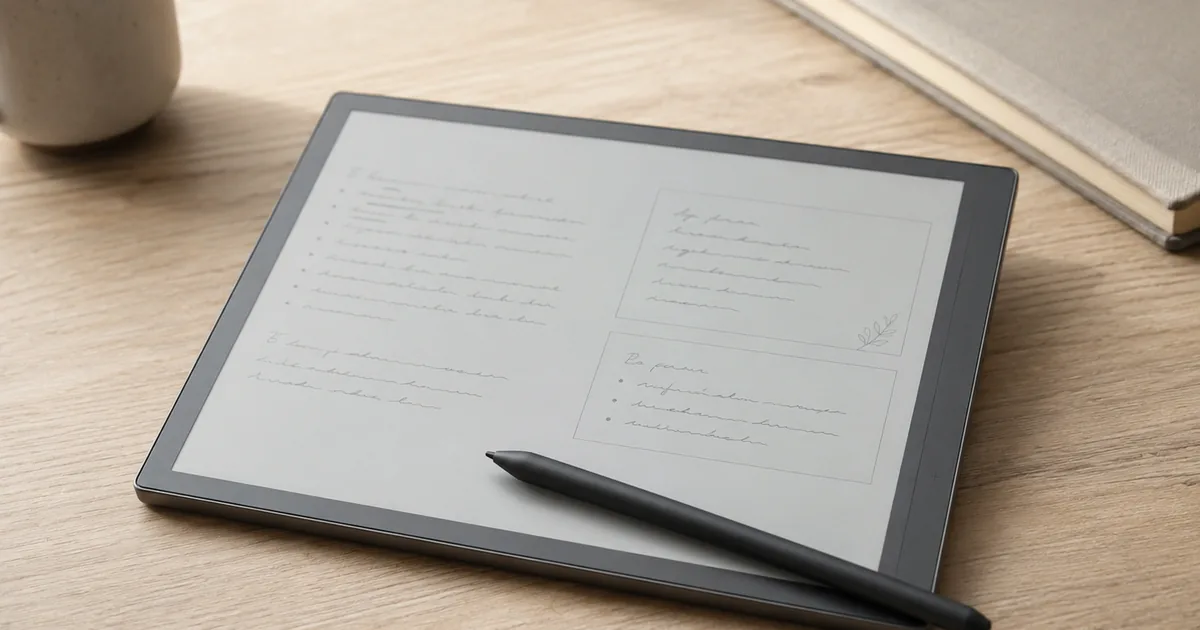
Most gadgets at this price split their owners into a love camp and a regret camp. The Kindle Scribe does not. The newest 2025 model holds 4.4 stars across 266 reviews, the previous generation still on sale holds 4.4 stars across more than 3,600 reviews, and on both, close to three in four owners give five stars while only a small slice walk away unhappy. People who buy a Scribe tend to keep it and use it daily.
That changes the question this review has to answer. It is not whether the Scribe is good, because owner data already settled that. The useful questions are narrower: do you actually need a single device whose entire purpose is reading and longhand writing, which of the four versions on the shelf you should buy, and why a steady thread of reviews on the brand new model describes sending it back. The last one matters more than the marketing suggests, and it points some buyers toward the cheaper, older Scribe on purpose.
So this review is built around the decision, not the spec sheet. We pulled the current Amazon data for every Scribe in the lineup and for the readers and notebooks buyers cross-shop against it. If you read only two parts, read the verdict directly below and the lineup section after the table.
Our Top Pick
Buy the Scribe if your goal is to fold your Kindle library and a paper notebook into one distraction-free slab, and you mostly read with writing as a frequent extra. That is the exact use that fills its five-star reviews. Skip it if you mainly want to draw or sketch, because owners rate the art experience as merely fine. Skip it if you want an iPad-style do-everything tablet, because this is a closed, single-purpose device. And skip it if you only ever read, because a Paperwhite does that for a quarter of the price and is lighter in bed. One twist runs through the whole review: do not reflexively buy the newest model. For a lot of people the previous generation is the smarter purchase, and the reasons are below.
What You Are Actually Buying, and What It Quietly Is Not
The Scribe is an e-ink reader and a digital notebook in one body. The reading half is the Kindle you already know, on a larger glare-free screen that holds far more text per page than a Paperwhite. The writing half is the reason it costs what it does. The included Premium Pen needs no charging and no pairing, and writing lands with almost no lag and a light paper-like friction that owners single out more than any other feature.
Three software pieces do the heavy lifting. Active Canvas lets you write directly on the page of a book, and the text reflows to make room for your notes instead of forcing you into a cramped margin. The built-in notebook carries AI tools that turn handwriting into typed text, summarize a notebook, and answer questions drawn from across everything you have written. And documents move in and out through Google Drive, Microsoft OneDrive, and OneNote, so a PDF from work can land on the device for markup and a notebook can leave it as a file.
Now the quiet part, because the gap between what the Scribe is and what shoppers assume sends a lot of them home disappointed. It is not a tablet, and it does not try to be. There are no apps, no browser, no video, by design. It is not a serious art device. Owners who sketch report mediocre pressure and tilt sensitivity, fine for quick diagrams and bad for real drawing. It is not a color machine unless you step up to the Colorsoft version. And it is not a cheap reader. If your honest use is books and nothing else, you are about to overpay for a pen you will rarely lift. The people who love the Scribe are the ones who genuinely write, in meetings, in journals, in the margins of what they read.
The Reason Some Buyers Send the New One Back
Here is what the glowing professional reviews tend to skip, and what owner data makes obvious. The newest Scribe has a real flaw, and it is not where you would expect.
The 2025 redesign is a genuine upgrade in almost every way owners can measure. It is thinner and lighter than the model it replaces, the screen grew to a larger size, page turns and menus are noticeably faster, and the new even white bezel looks cleaner than the lopsided frame of the original. Buyers who came from the first Scribe describe the hardware as a clear step forward, and very few of them want to go back.
The flaw is the lighting. A consistent thread of reviews on the new model reports an uneven front light: a warmer, more yellow band down one side, dimmer dead spots in the middle where the side illumination does not reach, and a screen that looks different from one edge to the other at higher brightness. Some buyers returned a unit and reordered, only to meet the same problem on the replacement. For a device whose single job is to be stared at for hours, that is not a small complaint. The irony that owners keep pointing out is that the three-year-old Scribe lit evenly, and the thinner new design may have traded some of that uniformity away.
This does not show up for everyone. Readers who keep brightness low may never notice it, and plenty of five-star owners of the new model say their screens look perfect. But it shows up often enough that it should change how you buy. If you want the newest one, inspect the lighting in the first day or two, at the brightness and warmth you actually use, and keep the return window in mind. And if even lighting and a long track record matter to you more than faster page turns, the previous generation is the safer, cheaper buy. That is the through-line of the whole lineup.
The Scribe Lineup and What People Cross-Shop
| Product | Check |
|---|---|
| Kindle Scribe 32GB (newest 2025 model) — 11" front-lit, Premium Pen | (opens on Amazon) |
| Kindle Scribe (16GB) prev-gen, 10.2" — Premium Pen, AI summarization | (opens on Amazon) |
| Amazon Kindle Paperwhite Signature Edition 32GB (newest model) – 20% faster with auto-adjusting front light, wireless charging, and weeks of battery life – Metallic Black | (opens on Amazon) |
| Kobo Elipsa 2E — 10.3" eReader + Kobo Stylus 2, 32GB | (opens on Amazon) |
| reMarkable Paper Pro Bundle — 11.8" + Marker | (opens on Amazon) |
Five Ways This Choice Usually Goes
The five-star reviews and the regret reviews sort cleanly into a handful of people. Find yourself here before you spend.
- You take notes for a living. Professors, teachers, and meeting-heavy professionals are the loudest fans in the data. The Scribe replaces a drawer of notebooks, marks up PDFs without a printer, and keeps everything searchable in one place. This group rarely returns it.
- You write to think. Journalers and long-form writers describe getting more done because nothing on the device competes for attention. No notifications, no tabs, no quick scroll. For this person the closed nature is the feature, not the limitation.
- You are already deep in Kindle and want a bigger canvas. Readers who wanted more screen and added writing as a bonus land happily here, because the reading experience is the Kindle they trust, just larger.
- You only read. If writing is a maybe rather than a habit, you do not need a Scribe. A Paperwhite reads beautifully, costs a fraction as much, and is easier to hold in bed.
- Writing is the entire point, and the Kindle store is not. If you want the best pure writing surface and do not care about Amazon's library, a dedicated notebook tablet or an open-format reader fits better than a Scribe.
The Five Devices, and Who Each One Is Really For
Kindle Scribe 32GB (newest 2025 model) — 11" front-lit, Premium Pen
The 2025 Scribe is the one to get when you want the most capable version and can tolerate a small quality-control risk. It holds 4.4 stars across 266 reviews, with close to three in four owners at five stars. The redesign is real: lighter and thinner in the hand, a larger 11-inch display, page turns and navigation that owners call noticeably snappier, and a cleaner symmetrical bezel. The new Workspace layout, which lets you combine books, PDFs, and notes in one place and finally move notes between notebooks, is the software change long-time owners appreciate most.
The writing feel, already the high point of the line, edged forward again. Latency went from excellent to better than excellent, and the handwriting-to-text conversion is accurate enough that owners with genuinely messy penmanship trust it. Battery still measures in weeks, not hours, which remains the quiet advantage over any tablet.
The catch is the one above. A real share of new-model reviews flag uneven front lighting, and a few buyers returned multiple units chasing an even screen. Treat the first two days as an inspection window.
Skip this if you read at high brightness and cannot live with a possible warm band on one edge, or if saving money matters more than the newest hardware. For many people the older Scribe below is the wiser spend.
Pros
- Lighter, thinner, and faster than the model it replaces
- Largest, most spacious Kindle reading screen
- Best-in-line writing feel with no pen charging
- Workspace lets you mix books, PDFs, and notes and move pages freely
Cons
- A recurring uneven front-light complaint on the new model
- Top of the Kindle price ladder, and official cases cost a lot extra
Kindle Scribe (16GB) prev-gen, 10.2" — Premium Pen, AI summarization
The previous-generation Scribe is the value play, and the data backs it up. It carries 4.4 stars across more than 3,600 reviews, by far the deepest track record in the lineup, with more than three in four owners at five stars. It costs meaningfully less than the new model, lit evenly long before the redesign introduced its lighting questions, and it already received the software update that brought Active Canvas and the AI notebook tools to older devices. In other words, you give up a slightly smaller screen and some speed, and you keep almost everything that makes a Scribe a Scribe.
Owners describe it the way you want a tool described: it does not try to do too much. It reads, it writes, it stays out of the way, and it lasts for weeks per charge. People deciding between this and a far pricier writing tablet routinely choose it for the Kindle library alone, then find the note-taking becomes the part they use most.
The honest limits apply to both generations. Pen tips wear down faster than owners would like, the drawing experience is average, the template selection is thin, and exporting notes to a computer is more workaround than workflow. None of that stops this from being the Scribe most buyers should start with.
Skip this only if you specifically want the largest screen and the fastest hardware, and you are willing to inspect the new model for lighting. Otherwise this is the safer money.
Pros
- Costs clearly less than the new model
- Even lighting and the longest proven track record in the line
- Already updated with Active Canvas and AI notebook tools
- Same weeks-long battery and paper-like writing
Cons
- Smaller screen and slower than the 2025 redesign
- Heavier to hold in bed than a plain reader
Amazon Kindle Paperwhite Signature Edition 32GB (newest model) – 20% faster with auto-adjusting front light, wireless charging, and weeks of battery life – Metallic Black
Before you spend Scribe money, be honest about how often you will really write, because most people who think they want a notebook mainly want a great reader. The Kindle Paperwhite Signature Edition is that reader, and it is the highest-rated device in this comparison at 4.7 stars across 11,300 reviews.
It does one thing extremely well. It reads, on a crisp front-lit screen, with an auto-adjusting light, wireless charging, and weeks of battery, at a fraction of the Scribe's price. It is small and light enough to hold one-handed in bed for an hour, which is exactly why so many Scribe owners admit they keep a Paperwhite around for nighttime reading anyway.
What it will not do is take handwritten notes. There is no pen and no notebook. If you are buying a Scribe for the reading and telling yourself the writing is a bonus, this is the device that ends your search and saves you the most.
Skip this if longhand notes are a real part of why you are shopping. Buy it if reading is the actual job and the pen was always going to gather dust.
Pros
- Highest owner rating in this comparison
- A fraction of the Scribe's cost
- Light and comfortable for one-handed reading
- Auto-adjusting light, wireless charging, weeks of battery
Cons
- No pen and no note-taking at all
- Smaller screen than the Scribe for documents and PDFs
Kobo Elipsa 2E — 10.3" eReader + Kobo Stylus 2, 32GB
The Scribe's one structural weakness is the same as every Kindle: it lives inside Amazon's ecosystem. The Kobo Elipsa 2E is the answer for readers who want to write but would rather not be locked in. It rates 4.0 stars across 522 reviews, the lowest score here, so it earns its spot on flexibility rather than polish.
It sits at the same tier as a Scribe and includes a stylus, but it plays nicer with library books through Overdrive and Libby and handles a wider range of file formats without the conversion friction that Kindles impose. For someone who borrows heavily from the public library or keeps a pile of non-Amazon ebooks, that openness is worth more than a slightly cleaner interface.
The trade-offs are real and the lower rating reflects them. The software is less refined than Amazon's, updates come slower, and the reading experience, while good, does not feel as locked-in-tight as a Kindle. This is the pick for the reader who values freedom over finish.
Skip this if you already buy your books from Amazon and want the smoothest possible setup. Buy it if open formats and library borrowing matter more than a perfectly sanded interface.
Pros
- Open to library books and more file formats
- Includes a stylus at the same tier as a Scribe
- Frees you from Amazon lock-in
- Large note-friendly screen
Cons
- Lowest owner rating in this comparison
- Software is less refined and slower to update than Kindle
reMarkable Paper Pro Bundle — 11.8" + Marker
If you are not really buying a Kindle at all, and the reading is secondary to filling pages with ink, the reMarkable Paper Pro is the writing-first alternative. It holds 4.2 stars across about 1,000 reviews and costs more than even the color Scribe, so it asks you to commit to writing as the main event.
It earns that price for a specific person. The screen is larger, it writes in color ink rather than gray, and many owners consider its blank-page writing feel and its folder organization a notch above the Scribe's. For someone whose day is meetings, sketches of ideas, and long handwritten drafts, it can be the better notebook.
What you give up is the reading half. It is a weaker e-reader than any Kindle, and it has no Kindle store behind it, so your existing library and easy book buying do not come along. Owners who picked the Scribe over it almost always cite the Kindle ecosystem and the lower price as the deciding factors.
Skip this if reading is half of why you are shopping, or if you live in the Kindle store. Buy it if writing is ninety percent of the plan and you want the best surface for it.
Pros
- Larger screen and color ink for notes
- Writing feel and organization many owners prefer
- Purpose-built as a notebook first
- Strong fit for heavy, daily handwriting
Cons
- Weaker e-reader with no Kindle store
- Priciest option in this comparison
What the Decision Really Comes Down To
Strip away the model numbers and the choice is three simple questions. First, do you read more, write more, or draw more. Heavy readers who write sometimes are the core Scribe audience. Pure readers should buy a Paperwhite and pocket the difference. People who draw should look at a real tablet, because no e-ink device here does art well. Writers who do not care about the Kindle store should weigh the reMarkable or the open Kobo instead.
Second, if a Scribe is the answer, new or old generation. The new one is the better device on paper and in the hand, as long as your screen is one of the evenly lit ones. The older one is cheaper, proven across thousands of reviews, and free of the lighting question. For most buyers that makes the previous generation the default and the new model the upgrade you choose with eyes open.
Third, walled garden or open door. Every Kindle ties you to Amazon's store, which is effortless if you already live there and limiting if you borrow from the library. The Scribe is the smoothest experience for the committed Kindle reader. The Kobo is the escape hatch for everyone else.
How to Decide Before You Buy
Count how often you actually write by hand in a normal week, and be honest about it. Daily or near-daily note-taking is the only pattern that justifies a Scribe over a plain reader, and it is exactly the pattern its happiest owners share. If the real answer is once in a while, a Paperwhite covers your reading and the pen was always going to sit unused.
If you do write enough, pick the generation on purpose. Choose the previous model for the lower price and the even, proven screen. Choose the newest one for the bigger display and the speed, then check the lighting hard in the first two days while you can still return it. Either way, the Scribe is the easy pick once you have decided you want one device for reading and longhand notes inside the Kindle world. For the right person it genuinely is the everyday tool its five-star owners describe, and the only real mistake is buying the wrong version for the wrong reason.
Is the Kindle Scribe worth it in 2026?
For people who genuinely read and write, yes, and owner ratings reflect that, with roughly three in four giving five stars on both the new and the previous model. It is not worth it if you only read, since a Paperwhite does that for far less, or if you mainly want to draw or want a full tablet. The pen has to actually get used to justify the price.
Should I buy the new Kindle Scribe or the previous generation?
The new model is lighter, faster, and has a larger screen, but a recurring owner complaint about uneven front lighting makes it a small gamble. The previous generation costs less, lit evenly long before the redesign, already has the same Active Canvas and AI notebook features through a software update, and has a far deeper review history. For most buyers the older one is the safer default.
Kindle Scribe vs reMarkable: which should I get?
Pick the Scribe if reading is half of why you are buying, because it carries the full Kindle store and library. Pick the reMarkable Paper Pro if writing is the whole point, since it offers a larger screen, color ink, and a writing feel many owners prefer, at a higher price and with a weaker reading experience.
Can you really write directly in books on the Kindle Scribe?
Yes. The Active Canvas feature lets you start writing on a book's page and the text reflows to make room for your notes, and you can expand or collapse the margin space. It works on most Kindle books, though some annotation limits still apply to certain titles and to imported PDFs.
Does the Kindle Scribe have a screen lighting problem?
A real share of reviews on the newest 2025 model report uneven front lighting, including a warmer band on one side and dim spots in the middle, with some buyers returning units over it. Many other owners see no issue. If you buy the new model, check the lighting at your usual brightness in the first couple of days and keep the return window open. The previous generation is widely reported to light evenly.
How long does a Kindle Scribe last on a charge, and as a device?
Battery life is measured in weeks of reading and writing per charge, far longer than any tablet. As a device, e-ink Kindles tend to last for years of daily use, and the pen needs no charging, though its tips wear down over time and are replaceable.
Is the Colorsoft version worth the extra over the black-and-white Scribe?
Only if color genuinely adds value for you, such as color highlights in notes or seeing book covers in color. Many owners find the black-and-white screen crisper and a touch more paper-like for writing, and it costs less. If you are unsure, the black-and-white model is the safer choice, and our separate Colorsoft review goes deeper on the difference.