
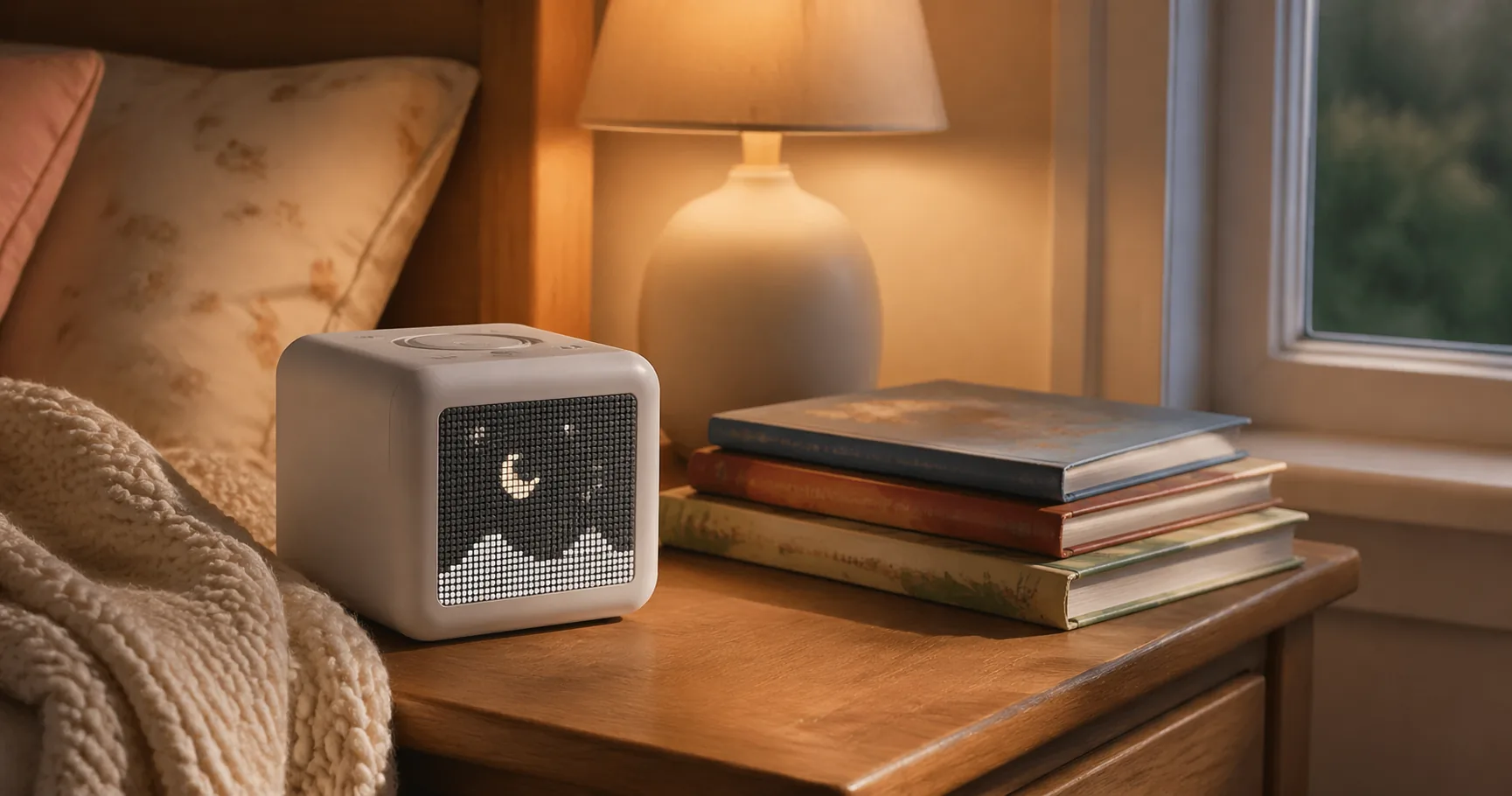
Start with the thing nobody mentions until after they have paid: the Yoto Player is not a finished toy in the box, it is a platform. The cube itself plays almost nothing on its own. The value lives in the cards you feed it, and those cost real money on top of the player, which is the single most common reason a disappointed parent leaves a low rating. If you walk in expecting a library to come bundled at the price, you will feel shortchanged, and that is worth knowing before anything else.
With that out of the way, the Yoto Player is also one of the few genuinely screen-free audio devices for kids that holds up over years rather than weeks. Yoto put out the third generation of its player in late 2024, and roughly eighteen months on, the feedback is deep enough to judge fairly. The rating has barely moved and parents keep buying it. This review focuses on the 3rd Gen Player, with the smaller Yoto Mini alongside it as the natural alternative, since most buyers end up weighing the two against each other anyway.
If you are buying one Yoto for home and bedtime, the 3rd Gen Player is the answer. The bigger speaker, longer battery, nightlight, and pixel display make it a nightstand fixture the Mini cannot match. Choose the Mini instead only if portability is the main thing you need.
The Yoto Player (3rd Gen) is a screen-free audio cube that plays stories, music, podcasts, radio, and white noise from small cards a child slots into the top. It holds an unusually high rating for its category, and Yoto sells and ships it directly, which keeps returns and replacements straightforward.
Let me lead with where it falls short, because that is what decides whether you should buy. The weak spot is Wi-Fi setup, and the complaints are consistent enough to take seriously: a recurring share of buyers report the player refusing to hold network credentials, sometimes only fixed by changing routers. A few mention a card occasionally needing a reboot to read. And the content model is strictly pay-as-you-go, so the player is the start of the spend, not the end of it. If your home network is finicky or your budget is tight after the player itself, these are real frictions, not edge cases.
What it does well, it does better than almost anything else at this job. It is truly screen-free, with no camera, no microphone listening in, and no ads, which is rare. It carries enough internal storage for hundreds of hours of audio and plays fully offline once cards are synced, so a plane or a Wi-Fi-free cabin is no problem. The third generation earns its price over the Mini through everything that is not audio: a pixel display on the front that follows along with chapters, a nightlight that gets daily use at bedtime, a room thermometer, and an OK-to-wake clock set through the free app. None of those exist on the Mini, and together they let the player quietly replace a separate clock, night light, and sleep-sound machine.
Content is the long game. It ships with one blank Make-Your-Own card you can record anything onto, a grandparent reading a story, a custom playlist, a lullaby, and beyond that Yoto sells a large catalog of branded cards. Those cost extra, but each one plays offline forever once loaded. The free daily Yoto podcast comes up again and again as a habit kids genuinely ask for, and the radio and sleep channels are free too, so a family that leans on Make-Your-Own cards plus the free tier can keep the running cost near zero.
Skip the Player if your child is under three, if you already own a similar audio box your kid is happy with, or if you expect a subscription library rather than a card-based system.
Yoto Player (3rd Gen)
The Yoto Mini runs the exact same ecosystem as the Player, the same cards, the same app, the same content, in a smaller, cheaper body, and it actually holds the higher rating on this page. A lot of that is expectation: families tend to buy the Mini second, as a travel unit, knowing exactly what they are getting, while the Player sets bigger expectations and absorbs the disappointment when Wi-Fi acts up or someone realizes cards cost extra.
The compromises are real but narrow. The Mini is mono rather than stereo, its battery is a little shorter, and it drops the nightlight, the room thermometer, the wireless charging, and the chapter display. It is smaller, lighter, and quieter, closer to a take-along speaker than a nightstand device. That makes it the better pick for car trips, daycare, and grandparent visits, and many families end up owning both, the Player at bedtime and the Mini in the bag.
Skip the Mini as your only Yoto if it will mostly live on a nightstand, because you would miss the nightlight and clock that make the Player a daily-routine device.
Yoto Mini
How It Fits a Real Household
This is a home-device purchase, not a travel-device purchase. If the Yoto will sit on a nightstand, run bedtime and morning routines, and stay in one room most of the time, the Player 3rd Gen is worth it, because the nightlight, OK-to-wake clock, thermometer, and stereo speaker earn their keep every day. Parents of kids roughly three to eight describe it becoming part of the daily routine within a week, standing in for a separate alarm clock, a night light, and sometimes a sleep-sound machine. That consolidation is where the price makes sense.
If the main use is road trips, daycare drop-offs, grandparent visits, or flights, buy the Mini instead. It does most of what the Player does in a body that survives a backpack. Plenty of families eventually own both, but if you are buying one first, match it to where it will actually live.
Two more filters before you commit. First, your home Wi-Fi: the setup trouble in the reviews seems tied to certain router setups, so if your network is straightforward you are likely fine, and if it is temperamental, go in expecting some fiddling. Second, your content budget: the player is not the real cost, the cards are. A family that buys a steady stream of branded cards will spend well beyond the player over a year, while a family that leans on Make-Your-Own cards, the free daily podcast, and the free radio can keep ongoing spend close to nothing. Know which camp you are in before you buy.
The honest way to think about the Yoto is as a screen replacement, not a toy. Its whole reason to exist is giving a child something engaging to listen to without handing them a tablet, and on that narrow goal it delivers in a way few products do, because there is genuinely no screen to stare into, nothing watching the room, and nothing trying to upsell the kid. For parents specifically trying to cut screen time, that is the feature that justifies the rest.
Where it asks for patience is the setup and the ongoing curation. You load cards over Wi-Fi, you decide what content to buy or record, and you accept that the magic depends on you building a small library over time rather than getting one in the box. Families who enjoy that, recording a grandparent’s voice, curating playlists, leaning on the free daily content, get enormous value. Families who want plug-and-play with everything included will find the card model a recurring small annoyance. Neither reaction is wrong, and knowing which one is yours is the whole decision.
Is the Yoto Player worth it?
For home and bedtime use with kids roughly three to eight, yes. The value comes from replacing several single-purpose devices, a nightlight, an OK-to-wake clock, a sleep-sound machine, with one screen-free audio player. If it will travel more than it sits still, the cheaper Yoto Mini is the more sensible buy.
What is the difference between the Yoto Player and the Yoto Mini?
Same ecosystem, different hardware. The Player is stereo with a longer battery, more storage, a nightlight, a room thermometer, a pixel display, and wireless charging. The Mini is mono with a shorter battery and none of those extras, but it is smaller and lighter. Both read the same cards and use the same app.
How much do Yoto cards cost?
Branded cards are sold individually and add up over time, which is the main ongoing cost of owning a Yoto. The blank Make-Your-Own cards are reusable, so you can record, erase, and re-record them, and the free daily podcast, radio, and sleep sounds need no cards at all.
Does the Yoto Player need Wi-Fi?
Yes for the initial card sync and content downloads, but not for playback. Once a card is loaded over Wi-Fi it plays offline from internal storage, which is why families use it on flights and in cabins. Wi-Fi setup reliability is the most common complaint, so it is worth checking your home network before committing.
Yoto or a similar audio box, which is better?
Yoto leans toward flexibility and a wide content range that grows with a child, including chapter books, podcasts, and radio. Figurine-based rivals charm younger toddlers with a more tactile design but tend to plateau sooner. Owners of both generally say Yoto grows better from preschool into the older grades.
Is the Yoto Player good for toddlers under 3?
Yoto recommends ages three and up with adult supervision below that, partly because the cards are small. Parents of one- and two-year-olds who own it tend to use it as a nightlight and sleep-sound source rather than a self-serve player. For a child under three, consider waiting or buying the Mini and driving the card selection yourself.