
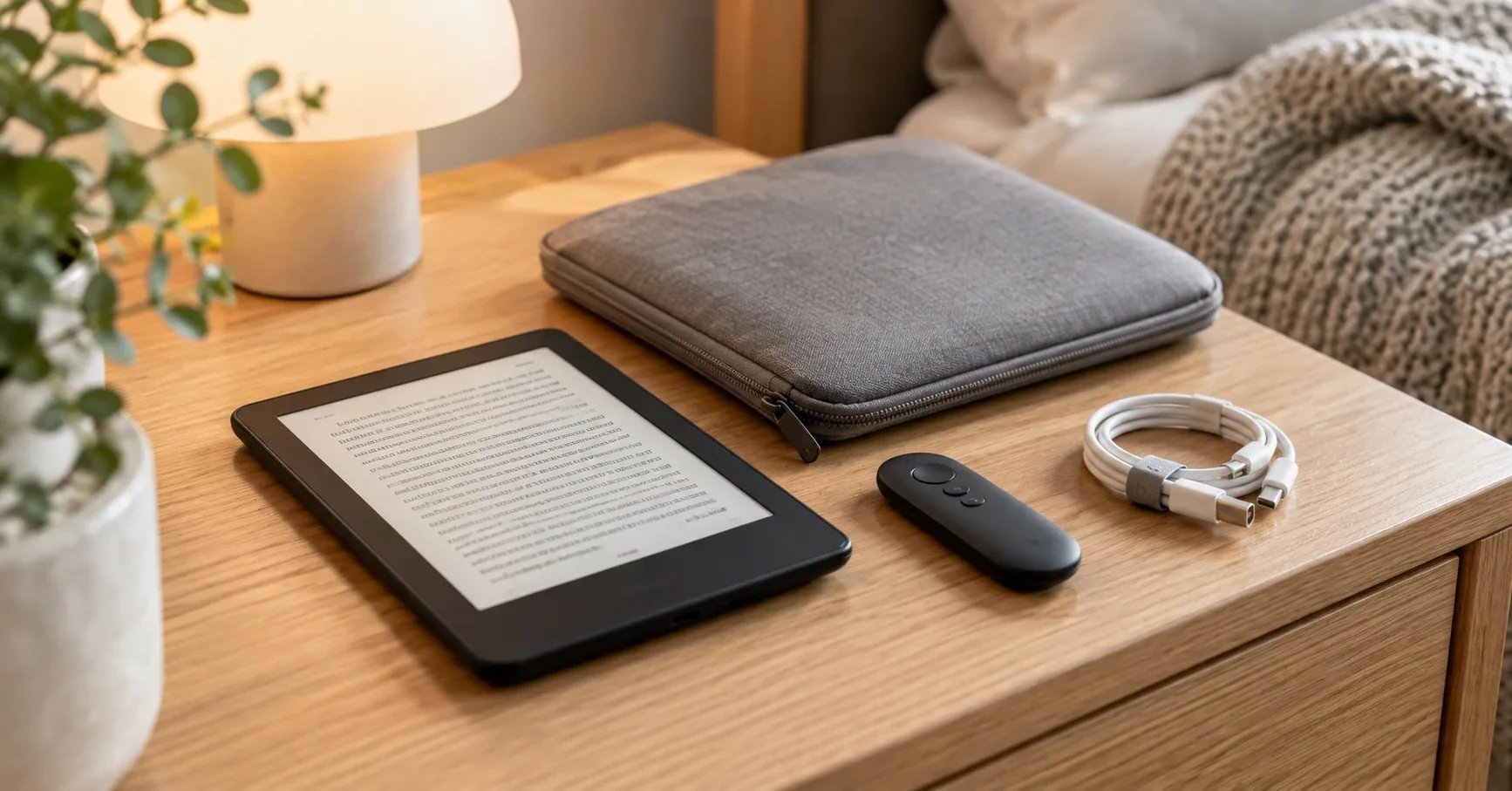
A Kindle is one of the few gadgets that needs almost nothing extra. The screen is already glare-free, the battery lasts for weeks, and the device is light enough to hold in one hand. Most accessory lists ignore that and fill a cart with things you'll never use.
The add-ons worth buying each solve one specific annoyance: reaching out from under a blanket to tap the screen, hunting for a wall adapter that never came in the box, scratching the display in a bag, or holding the reader over your face in bed. Before you buy any of them, check one thing: which Kindle you own. A wireless dock only charges Signature Edition models, and screen protectors are cut for one screen size.
We compared current Amazon US listings and owner-feedback patterns for six Kindle accessories on October 28, 2026. We didn't test them hands-on, and prices, availability, and listing details can change. Cases and reading lights have their own guides, linked below.
Our Top Pick
If you buy one accessory, make it the JIMZOO Page Turner Ring. It clips onto the edge of the screen and turns pages from your hand, so you can read in bed, on a treadmill, or while eating without touching the Kindle. It works with most cases and every recent Kindle, and it charges over USB-C.
Six accessories at a glance
| Product | Check |
|---|---|
| JIMZOO Page Turner Ring for Kindle, Rechargeable Remote Control | (opens on Amazon) |
| Made for Amazon Wireless Charging Dock for Kindle Paperwhite Signature Edition and Kindle Colorsoft Signature Edition | (opens on Amazon) |
| Niniber 2-Pack 18W USB-C Kindle Charger with Braided Cables | (opens on Amazon) |
| Nupro Antiglare Screen Protector (2 Pack) for Kindle Paperwhite (2024) and Kindle Colorsoft | (opens on Amazon) |
| HoYiXi Universal Padded Sleeve Bag for 6-7 Inch Kindle Paperwhite and Colorsoft | (opens on Amazon) |
| Lamicall Gooseneck Tablet and E-Reader Holder for Bed with Flexible Arm | (opens on Amazon) |
Match the accessory to the problem
- You want to turn pages without touching the screen: JIMZOO Page Turner Ring.
- You own a Paperwhite Signature or Colorsoft Signature Edition: Anker Made for Amazon Wireless Charging Dock.
- Your Kindle came with a cable but no wall plug: Niniber 2-pack USB-C charger.
- You read with kids, at the beach, or keep the Kindle bare: Nupro anti-glare screen protector.
- You carry the Kindle in a bag without a case: HoYiXi padded sleeve.
- You read lying down and your arms get tired: Lamicall gooseneck holder.
The six best Kindle accessories
JIMZOO Page Turner Ring for Kindle, Rechargeable Remote Control
The JIMZOO Page Turner Ring is a small two-button remote with a clip that sits on the edge of the Kindle screen. When you press a button, the clip taps the screen for you, which is why it works with any touchscreen reader and doesn't need Bluetooth pairing. The listing specifies radio-frequency connection with a range of up to 10 meters, quiet silicone buttons, a rechargeable battery that charges over USB-C, and a clip that fits devices up to 18.5 mm thick, including most protective cases. The remote weighs about 30 grams and comes with a storage pouch. It isn't compatible with the old 7th- and 8th-generation basic Kindles.
Owners say it works well with their Kindles and that the battery lasts a long time between charges, and frequent readers call it worth the money. Responsiveness gets mixed comments: many owners say pages turn reliably, while others need to press more than once. The most common complaint is durability, with some owners reporting the ring breaking within weeks.
A page turner matters most if you read in bed with your hand under a blanket, prop the Kindle on a stand, or read on a treadmill or exercise bike.
Skip this if you mostly hold the Kindle in your hand. Tapping the screen is just as fast.
Pros
- No Bluetooth pairing, works with any touchscreen Kindle
- Clip fits over most cases
- Quiet buttons for reading next to a sleeping partner
- Rechargeable over USB-C
Cons
- Some owners need to press twice
- Durability complaints about the ring
- Not for older 7th- and 8th-generation Kindles
Made for Amazon Wireless Charging Dock for Kindle Paperwhite Signature Edition and Kindle Colorsoft Signature Edition
The Made for Amazon Wireless Charging Dock, built by Anker, is the only accessory here with a hard compatibility limit: it charges only the Kindle Paperwhite Signature Edition (2022 and 2024 releases) and the Kindle Colorsoft Signature Edition, the models with wireless charging. The listing specifies 7.5W charging that refills the battery in as little as 2.5 hours, charging through a case up to 4 mm thick, portrait docking, and an LED that blinks when the Kindle isn't aligned and stays steady while it charges. The power supply is included.
Owners love the convenience, particularly with the Colorsoft Signature Edition, and praise the build quality. Charging reports are mixed: many owners say it charges fine through Amazon's own case, while others report that it doesn't charge when the Kindle sits slightly off-center.
The real benefit is habit. A Kindle on a nightstand dock is always charged, and it doubles as a stand for reading at a desk or a kitchen counter.
Skip this if you own a standard Paperwhite, a basic Kindle, or a Scribe. They don't charge wirelessly.
Pros
- Drop-in charging with no cable to plug in
- Charges through thin cases
- Alignment LED shows when it isn't charging
- Power supply included
Cons
- Works only with Signature Edition models
- Needs careful placement to charge
Niniber 2-Pack 18W USB-C Kindle Charger with Braided Cables
Current Kindles ship with a USB-C cable but no wall adapter, so many owners end up charging from a laptop or whatever phone brick is nearby. The Niniber 2-pack fixes that with two 18W wall chargers and two 3.3-foot braided USB-A to USB-C cables, enough for a nightstand and a travel bag. The listing names compatibility with the Kindle Colorsoft, Paperwhite (2021 and later), Paperwhite Signature Edition, Kindle (2022 and later), Scribe, and USB-C Fire tablets, and lists overcharge, voltage, and temperature protection. It won't work with older micro-USB Kindles.
Owners highlight the value of getting two complete sets, the cable length that reaches a couch or bed, and the sturdy braided cords. Charging speed gets mixed feedback, which is expected: a Kindle draws far less power than the 18W rating, so it charges at its own pace.
Skip this if you already have a USB-C phone charger you can leave by the bed.
Pros
- Two chargers and two cables in one box
- Long, braided cables
- Fits every current USB-C Kindle
Cons
- Not for older micro-USB models
- Charging speed reports are mixed
Nupro Antiglare Screen Protector (2 Pack) for Kindle Paperwhite (2024) and Kindle Colorsoft
Keys, pens, and sand in a bag are what usually scratch a bare Kindle screen. The Nupro Antiglare Screen Protector comes in a two-pack cut for the 2024 Kindle Paperwhite and the Kindle Colorsoft, with a cleaning cloth and an applicator card in the box. The listing states plainly that it doesn't fit other Kindle models, so check your model before ordering.
Owners describe the film as high quality and easy to install without bubbles. They say it stays clear and keeps the glare-free look of the Kindle display while protecting it.
A protector makes the most sense when the Kindle travels without a cover, goes to the beach, or gets handed to kids. If you keep it in a folio case, the screen is already covered when it's in a bag.
Skip this if you own a basic Kindle, a Scribe, or an older Paperwhite. This cut won't fit.
Pros
- Two protectors per pack
- Owners report easy, bubble-free installation
- Matte finish keeps the glare-free look
Cons
- Fits only the 2024 Paperwhite and Colorsoft
- Unnecessary if you always use a folio case
HoYiXi Universal Padded Sleeve Bag for 6-7 Inch Kindle Paperwhite and Colorsoft
Some readers prefer a bare Kindle because a case adds weight and bulk. The HoYiXi Universal Sleeve Bag protects it in transit and comes off when you read. The listing describes a padded nylon shell with a soft fleece lining, a double zipper, a carry handle, and two mesh pockets plus a larger compartment for a cable, charger, or page turner. It fits most 6- to 7-inch e-readers, including the Paperwhite, Colorsoft, basic Kindle, and similar Kobo models, and measures about 8.5 by 6.9 by 0.9 inches outside.
Owners praise the snug fit, the padding against bumps and scratches, and the pocket for the charging cord. Many call it good value and like how it looks.
It also pairs well with the other accessories here: the page turner, the cable, and a screen cloth all fit in its pockets.
Skip this if you already use a folio case and never take it off.
Pros
- Padded protection without adding weight while reading
- Pockets for a cable and small accessories
- Fits most 6- to 7-inch e-readers
Cons
- Doesn't protect the Kindle while you read
- Too small for the Kindle Scribe
Lamicall Gooseneck Tablet and E-Reader Holder for Bed with Flexible Arm
The Lamicall gooseneck holder clamps to a headboard, nightstand, or desk edge and holds the Kindle in front of your face on a bendable arm. The listing specifies a clamp that fits surfaces 0.2 to 3.15 inches thick, a tapered aluminum arm, a 360-degree rotating holder for portrait or landscape, and support for devices from 4.7 to 13 inches up to about 800 grams. A Kindle weighs far less than that limit.
Owners rate the build quality and sturdiness highly and like the heavy clamp. Stability gets mixed feedback, and Lamicall's own listing notes a slight wobble is normal when you touch the screen. That's where the page turner above helps: with a remote in hand, you don't touch the Kindle at all.
Skip this if your bed has no headboard or nightstand edge to clamp onto.
Pros
- Hands-free reading lying down or at a desk
- Fits devices from a phone to a large tablet
- Rotates for portrait or landscape
Cons
- Some wobble when you tap the screen
- Needs a solid edge to clamp onto
A new option to watch: Kindle Click
Amazon has introduced its own page-turner remote, the Kindle Click. According to the listing, it pairs over Bluetooth with Kindles from the 2024 release onward, has forward and back buttons plus side buttons for screen brightness, puts the Kindle to sleep when you press both, and recharges over USB-C. It's too new to have owner feedback, so we haven't ranked it. If you own a 2024 or later Kindle and want an official remote with brightness control, it's worth a look once reviews come in.
How to choose Kindle accessories
Know your model first. Open Settings, then Device Options and Device Info, to see your Kindle's model and generation. Screen protectors are cut for one size, wireless charging works only on Signature Edition models, and older Kindles use micro-USB rather than USB-C.
Buy for a problem you actually have. A page turner helps in bed or on a stand. A dock helps if you forget to charge. A protector helps if the Kindle travels bare. If none of those describe you, the Kindle is fine without them.
Choose a case or a sleeve, not both. A folio case protects the screen while you read and adds bulk. A sleeve protects only in transit. Our guide to Kindle Paperwhite cases covers folio options.
Check case thickness for page turners and docks. Clip-on page turners need to fit over the case edge, and wireless docks charge through cases only up to about 4 mm thick.
Add light only for dark rooms. The Paperwhite and Colorsoft have built-in front lights. A clip-on light matters for a partner who wants a dark room, not for the Kindle itself. See our picks for the best book light for Kindle and book lights for reading in bed.
Still choosing a reader? Compare models in our guide to the best e-readers, the Kindle Paperwhite review, and the Paperwhite Signature Edition review. Shopping for someone else? See our gifts for book lovers.
How we made these picks
We reviewed current Amazon.com listings and owner feedback for the US market, then compared compatibility with current Kindle models, connection type, case fit, charging specs, dimensions, and recurring positive and negative themes. We gave the most weight to which Kindles each accessory actually works with and whether owners keep using it. Dynamic Amazon metrics informed the ranking but aren't reproduced here because they change; the Amazon buttons show the current listing.
This is research-based editorial analysis, not a hands-on test. Compatibility and specifications come from manufacturer listings. Check your Kindle model against each listing before buying.
What accessories do I need for a Kindle?
None are required. The most useful add-ons are a wall charger, since current Kindles ship with a cable but no adapter, and either a case or a sleeve for protection. A page turner and a bed holder are worth adding if you read lying down.
Does a Kindle come with a charger?
Current Kindles come with a USB-C cable but no wall adapter. You can use any USB charger, including a phone charger, or buy a dedicated one such as the Niniber 2-pack.
Which Kindles work with the wireless charging dock?
The Made for Amazon Wireless Charging Dock works only with the Kindle Paperwhite Signature Edition (2022 and 2024 releases) and the Kindle Colorsoft Signature Edition. The standard Paperwhite, the basic Kindle, and the Scribe don't support wireless charging.
Do I need a screen protector for my Kindle?
Not if you keep it in a folio case. A screen protector makes sense if the Kindle travels without a cover, goes to the beach, or gets handed to children.
How does a Kindle page turner work?
Most third-party page turners, like the JIMZOO ring, clip onto the edge of the screen and tap it when you press a button, so they work with any touchscreen Kindle without pairing. Amazon's new Kindle Click pairs over Bluetooth instead and works with Kindles from the 2024 release onward.
As an Amazon Associate I earn from qualifying purchases. Prices and availability change frequently - use the Amazon button to check current pricing.