
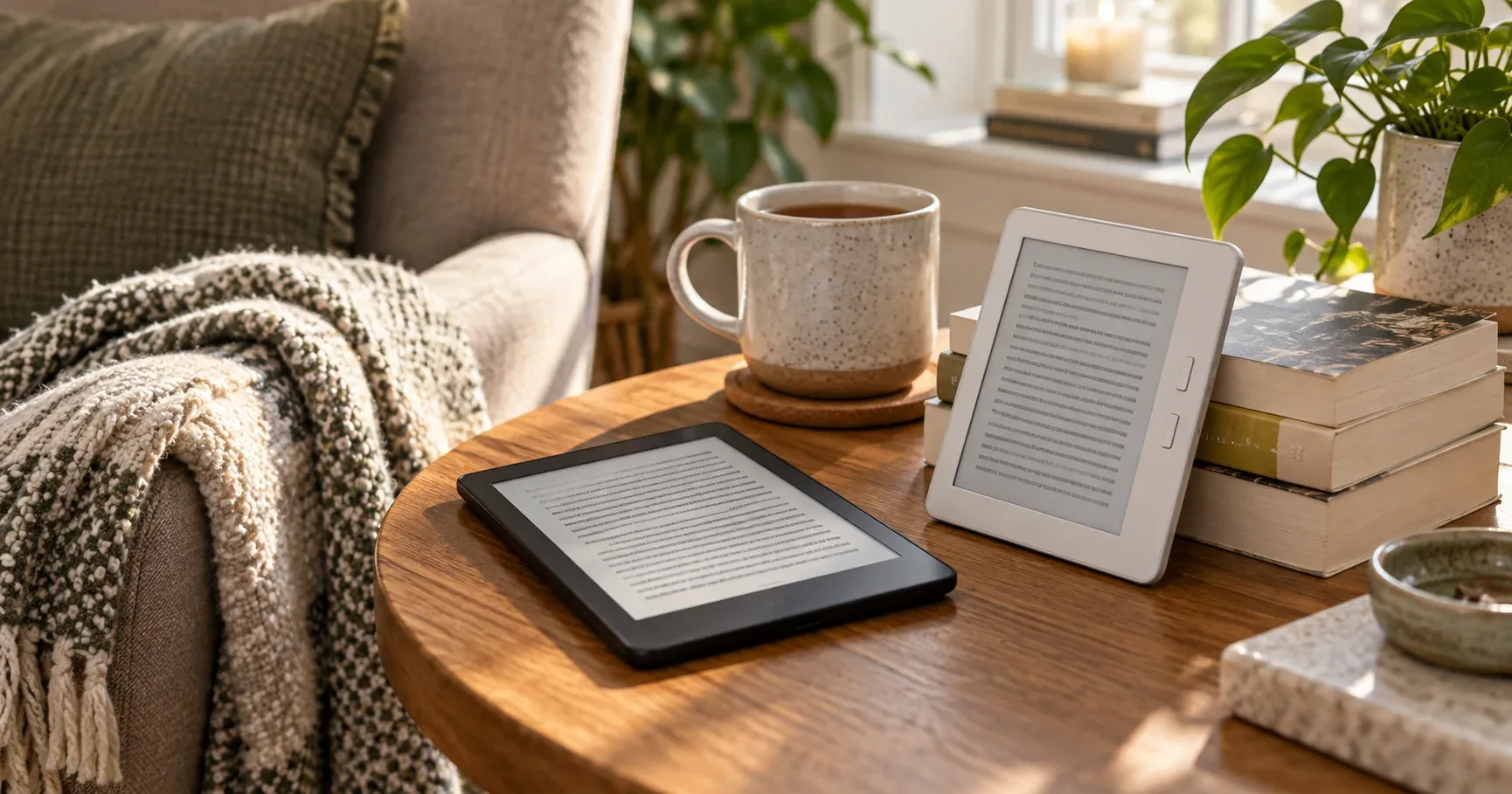
Most e-reader advice starts with the newest model. A better starting point is how you actually read. Someone who finishes a paperback-length novel every week in bed needs something different from a comic reader, a library regular, or a student who marks up PDFs. The screens look similar in product photos, but size, color, physical buttons, file support, and the store behind the device change the experience far more than a spec sheet suggests.
We compared current Amazon US listings and owner-feedback patterns for six e-readers on September 24, 2026. The ranking favors reading comfort, a clear fit for a specific kind of reader, and consistent owner experience over any single headline feature. We did not test these devices hands-on, and prices, availability, and listing details can change.
Our Top Pick
The Kindle Paperwhite is the best e-reader for most people. Its 7-inch 300 ppi screen, warm adjustable light, waterproofing, and weeks-long battery life cover almost every everyday reading situation without asking you to pay for extras. Choose something else if you want color, physical page-turn buttons, or a large screen for notes.
Six picks at a glance
| Product | Check |
|---|---|
| Amazon Kindle Paperwhite 16GB (newest model) – 20% faster, with new 7" glare-free display and weeks of battery life – Black | (opens on Amazon) |
| Amazon Kindle 16 GB (newest model) - Lightest and most compact Kindle, now with faster page turns, and higher contrast ratio, for an enhanced reading experience - Black | (opens on Amazon) |
| Amazon Kindle Paperwhite Signature Edition 32GB (newest model) – 20% faster with auto-adjusting front light, wireless charging, and weeks of battery life – Metallic Black | (opens on Amazon) |
| Amazon Kindle Colorsoft 16 GB (newest model) – With color display that brings covers and content to life, now highlight in color – No Ads – Black | (opens on Amazon) |
| Kobo Libra Colour | eReader | 7” Glare-Free Colour E Ink Kaleido™ 3 Display | Dark Mode Option | Audiobooks | Waterproof | White | (opens on Amazon) |
| Kindle Scribe 32GB (newest 2025 model) — 11" front-lit, Premium Pen | (opens on Amazon) |
Match the e-reader to the reader
- Most readers, most books: Kindle Paperwhite. The balanced choice for novels, nonfiction, and long reading sessions.
- Smallest and lightest, or the lowest cost: Kindle (2024). A 6-inch screen that fits a coat pocket, with fewer extras.
- Want every convenience: Kindle Paperwhite Signature Edition. Adds an auto-adjusting light, wireless charging, and more storage.
- Covers, comics, and color highlights in the Kindle store: Kindle Colorsoft.
- EPUB files, library loans, and page-turn buttons outside Amazon: Kobo Libra Colour.
- Handwritten notes, PDFs, and textbooks: Kindle Scribe.
Already deciding only between Kindle models? Our Kindle vs Paperwhite vs Colorsoft comparison goes deeper on the three 6- to 7-inch Kindles.
The six best e-readers
Amazon Kindle Paperwhite 16GB (newest model) – 20% faster, with new 7" glare-free display and weeks of battery life – Black
The 12th-generation Kindle Paperwhite is the default recommendation because it has almost no weak spot for ordinary reading. The Amazon listing specifies a 7-inch 300 ppi glare-free display, a front light that shifts from white to amber, IPX8 waterproofing, 16 GB of storage, USB-C charging, and up to 12 weeks of battery life based on half an hour of reading per day. At 211 grams it is light enough to hold one-handed for a long chapter.
Owner feedback is unusually consistent on the things that matter every day. Battery life, screen size, menu simplicity, and faster page turns come up repeatedly as strengths. The recurring negatives are a minority of units that stop working and mixed experiences with library apps. Most US library loans can be sent to a Kindle, but availability depends on the library and the title.
If you want a full breakdown of the display, battery, and daily use, read our Kindle Paperwhite review. The listing is sold with and without lock-screen ads, so check which version you are adding to the cart.
Skip this if you read mostly color content, want physical page-turn buttons, or prefer to avoid the Amazon ecosystem.
Pros
- Sharp 7-inch 300 ppi screen with warm light
- Waterproof for reading by the pool or in the bath
- Weeks of battery life per charge
- Fast page turns and simple menus
Cons
- No physical page-turn buttons
- Tied to the Kindle store and Amazon's file conversion for EPUB
- Some owners report units failing
Amazon Kindle 16 GB (newest model) - Lightest and most compact Kindle, now with faster page turns, and higher contrast ratio, for an enhanced reading experience - Black
The 2024 Kindle is the smallest and lightest model here. The listing specifies a 6-inch 300 ppi display, a front light Amazon says is 25% brighter at maximum than before, dark mode, 16 GB of storage, and up to six weeks of battery life. At 158 grams and 6.2 by 4.3 inches, it slips into a jacket pocket or a small bag in a way the 7-inch models do not.
That compact size is exactly what owners praise most, along with portability and value. The compromises are clear from the listing: it does not mention waterproofing or a warm amber light, and the rated battery life is half the Paperwhite's. Owner feedback on battery life and reliability is mixed, with some owners reporting glitches.
We compare the two directly in Kindle Paperwhite vs Kindle Basic. The short version: pay for the Paperwhite if you read in the bath or late at night, and save with the basic Kindle if portability and cost come first.
Skip this if you want waterproofing, warm light, or the longest battery life.
Pros
- Lightest, most pocketable Kindle
- 300 ppi text is as sharp as the Paperwhite's
- Lower cost of entry to the Kindle store
- USB-C charging and 16 GB of storage
Cons
- No waterproofing listed
- No warm light setting
- Shorter rated battery life and mixed reliability feedback
Amazon Kindle Paperwhite Signature Edition 32GB (newest model) – 20% faster with auto-adjusting front light, wireless charging, and weeks of battery life – Metallic Black
The Paperwhite Signature Edition is the same 7-inch reading experience with three conveniences added: a front light that adjusts itself to the room, wireless charging, and 32 GB of storage. The listing keeps the 300 ppi display, IPX8 waterproofing, and up to 12 weeks of battery life. The wireless charging dock is sold separately.
Owners frequently call it the best Kindle they have used, pointing to battery life, wireless charging, reading speed, and a size that travels well. The mixed feedback is about the screen and the price. Some owners report a yellowish area on the display, and others question whether the extras justify the upgrade over the standard Paperwhite.
Our Signature Edition review explains when the auto light is worth it. It makes the most sense for readers who move between bright rooms, trains, and dark bedrooms every day, or who keep large audiobook and comic libraries on the device.
Skip this if you are happy adjusting brightness yourself and 16 GB is enough.
Pros
- Auto-adjusting front light
- Wireless charging support
- 32 GB for larger libraries and audiobooks
- Same sharp, waterproof 7-inch screen as the Paperwhite
Cons
- Wireless charging dock costs extra
- Some reports of screen yellowing
- Extras may not justify the cost for every reader
Amazon Kindle Colorsoft 16 GB (newest model) – With color display that brings covers and content to life, now highlight in color – No Ads – Black
The Kindle Colorsoft brings color to book covers, comics, illustrated books, and highlights while keeping a paper-like, glare-free screen. The listing specifies a 7-inch display at 300 ppi for black-and-white content and 150 ppi for color, up to eight weeks of battery life, IPX8 waterproofing, and highlights in four colors. Dark mode keeps pen strokes and highlights in color.
This is the most divisive device in the roundup, and owner feedback explains why. Many owners enjoy the reading experience and find color covers and highlights genuinely useful. Others describe muted colors, text that looks slightly less crisp than a Paperwhite, and a darker screen. Color e-paper is not a tablet screen: colors are soft by design, and color images have half the resolution of black-and-white text.
We summarize the recurring complaints in Kindle Paperwhite vs Colorsoft comparison, and our Kindle Colorsoft review covers who benefits most. Choose the standard Colorsoft over the Signature Edition unless you specifically want the auto light and wireless charging. The Signature version draws more complaints about a yellow tint near the bottom of the screen.
Skip this if you read mostly text-only novels. A Paperwhite gives you crisper text for the same kind of book.
Pros
- Color covers, comics, and illustrations
- Color highlights that stay visible in dark mode
- Waterproof, with weeks of battery life
- Same Kindle store and library as other Kindles
Cons
- Colors are muted compared with a tablet
- Text can look slightly less crisp than the Paperwhite
- Mixed feedback on screen brightness
Kobo Libra Colour | eReader | 7” Glare-Free Colour E Ink Kaleido™ 3 Display | Dark Mode Option | Audiobooks | Waterproof | White
The Kobo Libra Colour is the pick for readers who do not want to live entirely inside Amazon's store. The listing specifies a 7-inch color E Ink Kaleido 3 display, physical page-turn buttons, left or right-handed rotation, IPX8 waterproofing, 32 GB of storage, and support for the Kobo Stylus 2 (sold separately) for color notes and markups. Kobo also lists library borrowing and a Kobo Plus subscription for unlimited e-books and audiobooks.
Owners consistently like the color highlights, the battery life, and the page-turn buttons, which some describe as satisfyingly clicky. The buttons are the real differentiator: none of the Kindles in this roundup have them, and they make one-handed reading on the couch or in bed easier. The mixed feedback concerns responsiveness. Some owners find page turns quick, while others describe the screen as slow. Value opinions are divided too.
The bigger decision is the ecosystem. Kobo opens standard EPUB files natively and does not require a Kindle store account, but books you already bought from Kindle will not move over. Our Kindle vs Kobo guide walks through that trade-off in detail.
Skip this if most of your library is already in the Kindle store.
Pros
- Physical page-turn buttons
- Native EPUB support and library borrowing
- Color screen with optional stylus notes
- 32 GB of storage and waterproofing
Cons
- Kindle purchases do not transfer
- Mixed feedback on screen responsiveness
- Stylus costs extra
Kindle Scribe 32GB (newest 2025 model) — 11" front-lit, Premium Pen
The Kindle Scribe is an e-reader and a paper notebook in one device. The 2025 model has an 11-inch 300 ppi front-lit display, a 5.4 mm body that weighs 400 grams, 32 GB of storage, and an included Premium Pen that never needs charging. Amazon lists a built-in notebook, AI tools that summarize and search handwritten notes, and document import from Google Drive and Microsoft OneDrive, with handwritten markups exported as PDFs.
Owner feedback is strongest on the writing feel, which many compare to pen on paper, and on the large screen for productivity and reading documents. The concerns are mixed performance and reports of a darker, yellowish area along the left side of the display. The Scribe is also much larger and heavier than a 7-inch e-reader, so it is less comfortable for reading a novel one-handed in bed.
For the full picture, see our Kindle Scribe review. It is the right choice when notes, PDFs, and marked-up documents matter as much as books.
Skip this if you mainly read novels. A Paperwhite is lighter, smaller, and costs far less.
Pros
- Large 11-inch screen for PDFs and textbooks
- Included pen with a paper-like writing feel
- Google Drive and OneDrive import with PDF export
- Thin and light for its screen size
Cons
- Too big for comfortable one-handed novel reading
- Mixed feedback on performance
- Some reports of uneven screen tint
Kindle or Kobo: choose the store first
The device matters less than the store you will buy from for years. Kindle e-readers connect to the Kindle store and Kindle Unlimited. Your purchases sync across Kindle devices and apps, and personal documents such as EPUB files can be sent to the device through Amazon's conversion service. Kobo devices connect to the Kobo store and Kobo Plus, open standard EPUB files directly, and list library borrowing on the device.
Neither store lets you move purchased books to the other's hardware. If you already own a large Kindle library, the Kindle models are the practical choice. If you borrow heavily, buy from several stores, or keep your own EPUB collection, the Kobo Libra Colour deserves a close look.
How to choose an e-reader
Start with screen size. Six inches is the most pocketable. Seven inches shows more text per page and is the most popular reading size. Eleven inches suits PDFs, textbooks, and notes, but it is a two-hand device.
Decide whether color earns its trade-offs. Color e-paper makes covers, comics, and highlights more useful, but it is dimmer and softer than a black-and-white screen. For text-only novels, black-and-white still looks sharpest.
Check waterproofing and warm light. Both matter if you read in the bath, by the pool, or late at night. The basic Kindle lists neither, and every other pick here is IPX8 rated.
Consider buttons. Physical page-turn buttons make one-handed reading easier. The Kobo Libra Colour is the only pick here with them.
Think about storage in terms of audiobooks and comics. Thousands of text books fit in 16 GB. Audiobooks, comics, and PDFs fill space faster, which is where 32 GB helps.
Budget for a case. A cover protects the screen in a bag and can add a stand or sleep/wake function. Our guide to Kindle Paperwhite cases covers the popular 7-inch Kindle size, and our Kindle Paperwhite for travel guide explains what is worth packing with it.
How we made these picks
We reviewed current Amazon.com listings and owner feedback for the US market, then compared screen size and resolution, color support, battery ratings, waterproofing, storage, buttons, file and library support, and recurring positive and negative themes. We favored patterns repeated across many owners rather than isolated comments. Dynamic Amazon metrics informed the ranking but are not reproduced here because they change; the Amazon buttons show the current listing.
Two popular alternatives did not make the list. The Kobo Clara BW and several Boox e-readers are currently sold on Amazon US mainly as bundles with little owner history, so we could not compare them fairly with these six.
This is research-based editorial analysis, not a hands-on lab test. Battery life, brightness, and speed figures are manufacturer claims unless stated otherwise. Confirm the storage size, color, and ad-supported or ad-free configuration on Amazon before ordering.
What is the best e-reader for most people?
The Kindle Paperwhite. Its 7-inch 300 ppi screen, warm light, waterproofing, and weeks of battery life cover almost every reading situation. Choose a different model only if you need color, page-turn buttons, a smaller size, or note-taking.
Is a color e-reader worth it?
It is worth it for comics, illustrated books, cookbooks, and color highlights. For text-only novels, a black-and-white screen looks sharper and brighter. Color e-paper colors are soft by design and not comparable with a tablet screen.
Can I read library books on a Kindle or Kobo?
Usually, yes. In the US, many library e-book loans can be sent to a Kindle, and Kobo lists library borrowing directly on the device. Availability depends on your library and the specific title.
Can a Kindle open EPUB files?
Not directly. Kindle converts EPUB files when you send them through Amazon's personal document service. Kobo e-readers open standard EPUB files natively.
Do I need an e-reader with page-turn buttons?
Not necessarily, but buttons make one-handed reading easier, especially in bed or while holding a drink. Among these six, only the Kobo Libra Colour has them. Kindles turn pages with a tap or swipe.
Is the Kindle Scribe good for reading novels?
It can be, but it is large and heavy compared with a 7-inch e-reader. The Scribe makes the most sense when you also want handwritten notes, PDF markups, or textbooks. For novels alone, the Paperwhite is more comfortable.
As an Amazon Associate I earn from qualifying purchases. Prices and availability change frequently - use the Amazon button to check current pricing.